 VibeAha
Payment successful. Your credits have been added.
Your payment is still being confirmed. Credits are added automatically once it clears.
AI Photo Editing Prompts
This page gives you 29 original AI photo editing prompts for cinematic portraits, couples, festivals, retro looks and birthdays. Copy any prompt, or load it into the editor below with one click and add your photo.
Uploaded photos are deleted after 24 hours and are sent to AI providers for processing. Sign in with Google to generate. New accounts get 3 free credits.
Input: One photo Output: An edited version of your photo in the style the prompt describes, made in the GPT Image 2.5 Flare workspace.
Use photos of yourself, or of people who have agreed to the edit. Do not use the prompts to make a person look like someone they are not, or to mislead others.
Looking for a different kind of edit? Try the AI hairstyle changer, or turn a still into motion with image to video.
Prompt Seen, Prompt Saar, Pix and Prompt, Roy Edit and Roy Editz Style Prompts
Prompt Seen, Prompt Saar, Pix and Prompt and Roy Edit (also spelled Roy Editz) are well-known names for shared Gemini and ChatGPT photo-edit prompt collections. This page is an independent collection of 29 original prompts written in those trending styles, such as cinematic portraits, couple scenes, festival looks and retro film. It is not affiliated with any of them, and every prompt can be run here: copy it, or choose Try this prompt to load it into the editor above.
Cinematic portrait prompts
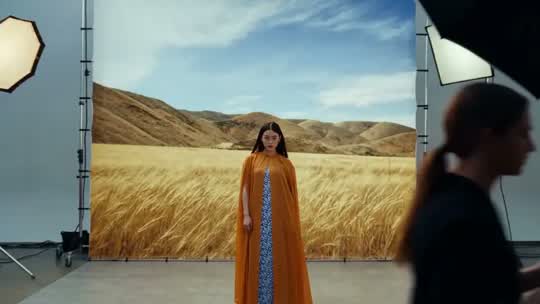
Turn a plain portrait into a still that looks lifted from a film: one light source, a clear mood and a shallow depth of field.
Couple photo prompts
Prompts for photos of two people. Each one tells the model to keep both faces and how you stand together, then changes the setting and the light.
Festival photo prompts
Seasonal and cultural celebration scenes. Each prompt keeps your face and clothes, and dresses the setting rather than the person.
Retro and vintage photo prompts
Decade looks built from light, color and grain. They change the feel of the photo, not who is in it.
Birthday photo prompts
Party scenes for a birthday portrait or a family snapshot. Replace anything in square brackets, then run.
Everyday photo polish prompts
Quieter edits for photos you want to keep natural: a better background, better light or a tidier file.
How to Use These Photo Editing Prompts
Pick a prompt
Browse 29 prompts in cinematic portrait, couple, festival, retro, birthday and everyday polish groups. Each card shows the whole prompt, so you can read it before you use it.
Copy it or try it here
Choose Copy prompt to paste it into any image editor. Choose Try this prompt to load it into the editor on this page, which opens ready for a photo.
Add your photo and create
Upload a clear photo and check the price: a 1K edit is 3 credits. Change any words you like first, such as a place or a color, then create.
What you can make with them
Portraits with a film look
Take a plain selfie to a rainy street, a golden-hour close-up or a black-and-white still.
Couple and family photos
Move a couple to a beach, a rooftop or a studio backdrop while their faces and poses stay the same.
Festival and birthday cards
Set a photo in an evening of lanterns, a Holi color burst or a room of balloons for a greeting or a post.
Retro looks
Try a disposable-camera flash, a 1970s print, an instant photo or a Y2K look without a filter pack.
Photos, placeholders and what to expect
Before you use a prompt
A clear source photo
Sharp, well-lit photos where the faces are visible keep identity best. Heavy filters or blur on the original carry over.
Edit the bracketed parts
A few prompts have a placeholder in square brackets, such as [AGE]. Replace it before you create, and keep any text short.
A photo you may edit
Only upload photos of yourself or of people who agreed. Do not edit photos of children you do not have the right to edit.
Price and limits
3 credits for a 1K edit
Editing a photo at 1K costs 3 credits, and the quote appears before you confirm. A new account gets 3 welcome credits, which cover one 1K edit here.
Results vary
A prompt describes what you want. It does not guarantee a result, and faces can drift a little. If it is not right, create it again or tighten the wording.
Copying works anywhere, trying works here
The Copy button gives you the text to use in any editor. Try this prompt loads it into the image editor on this page, which uses GPT Image 2.5 Flare.
AI Photo Editing Prompts vs other VibeAha tools
| Option | Best for | How it differs |
|---|---|---|
| AI Photo Editing Prompts | Starting from a written prompt you can edit | A library of original prompts with a copy button and a one-click load into the editor. |
| AI Hairstyle Changer | Changing only the hair on a selfie | A guided tool with a list of hairstyles and colors, where you write nothing. |
AI Photo Editing Prompts FAQs
What are AI photo editing prompts?
They are written instructions you give an image model together with your photo, for example to move you to a rainy street at night while keeping your face. This page collects prompts you can copy and change.
How do I use a prompt?
Copy the text into any image editor that accepts a photo, or choose Try this prompt to load it into the editor on this page. Add your photo and create.
Does it cost anything to copy a prompt?
Copying a prompt costs nothing and needs no account. Creating an image costs credits.
How much does it cost to try a prompt?
A 1K edit is 3 credits, quoted before you confirm. A new account gets 3 welcome credits, which cover one 1K edit.
Do the prompts keep my face the same?
Each one begins by telling the model to keep your face and features. It helps a lot, but no prompt can guarantee it, so check the result.
Can I change the prompts?
Yes. Swap the place, the time of day, the colors or the festival, and keep the first sentence that protects your face.
Where do these prompts come from?
This is an independent collection. The prompts are written for this page and are not copied from another site.
Which model runs Try this prompt?
The editor on this page uses GPT Image 2.5 Flare in image-to-image mode, so your photo is the starting point.
More photo editing tools
AI Photo Editing Prompts
29 ready-made prompts you can copy or load into the editor.
AI Hairstyle Changer
Try 21 hairstyles and 11 colors on a selfie.
Still deciding? Try another hairstyle or a different hair color in the tool above, or load a different preset from the photo editing prompts library. Finished for now? You can animate the photo with the image to video generator.